
Use Case: Launch of Contracts(NDA, ISA, MSA) in bulk
The contracts module can be leveraged to send onboarding documents or agreements like NDAs, MSAs, etc.
This will help you:
Store everything in a centralized contracts repository
All contracts (regardless of type) are under Contracts —> All contracts from the left menu navigation. You can search and filter by type, accessing all necessary information at a glance.

Track the expiration of the contracts
Sometimes you need to monitor their contract expiration dates. Contracts natively assist you in several ways here:
- Updates contract status to 'Ending Soon'
- Sends email notifications
- Initiates automated workflows upon status change
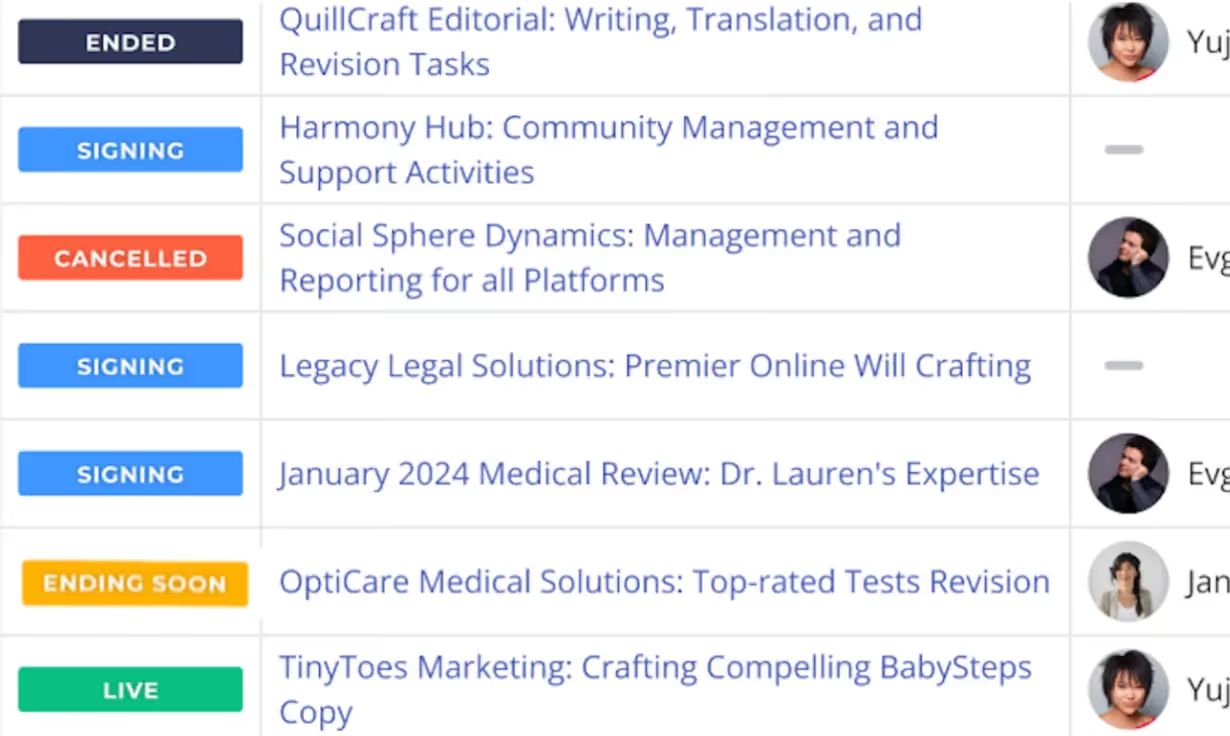
Customize contract signing flow
You can obtain all information related to the contract, including where the contract is in its lifecycle and reviewing the log of events.

Use Case: Handling resource and talent requests for requisition
Managing resource requests can be used to handle the requests directly via the contracts module.
Some benefits of using contracts for this use case is:
Self Serve
The contracts module allows you to create custom contract fields, alter custom contract fields, and create contract templates without depending on Worksuite Support.

Smart forms
Resource request forms can often be lengthy and include many questions that Hiring Managers need to answer.
The Contract form offers Nested Fields, which you can use to make the forms more concise.
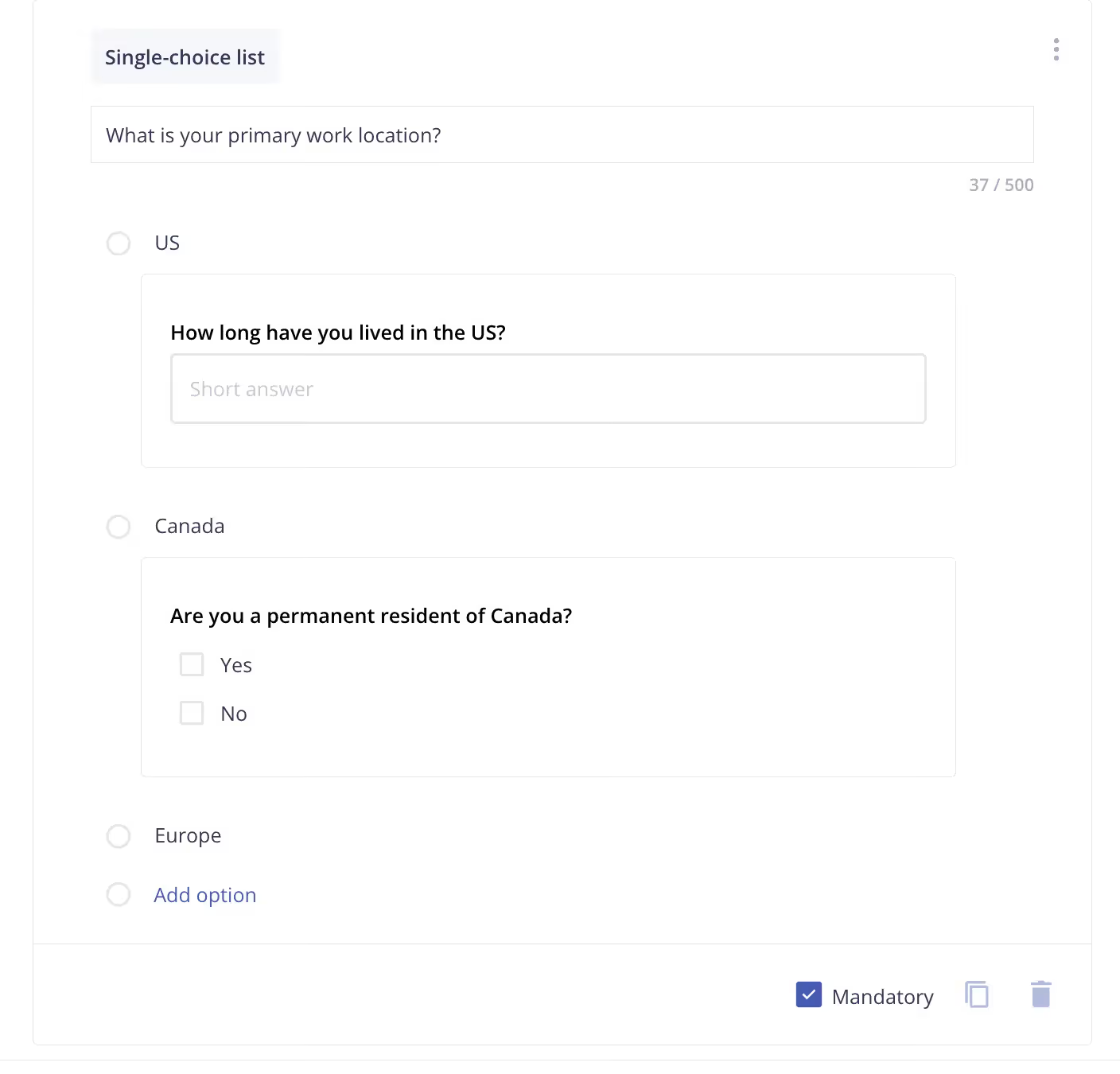
Access the entire contract review and approval lifecycle in a single view.
The contract requests require you to include a workflow for internal compliance or approval processes. With Contracts, you can make workflow part of the lifecycle process.

Preview and make changes
With contracts, you can preview any contract before sending it to your talent for signature. If the contract owner notices a problem in the contract, they can make changes and generate another preview before sending it.

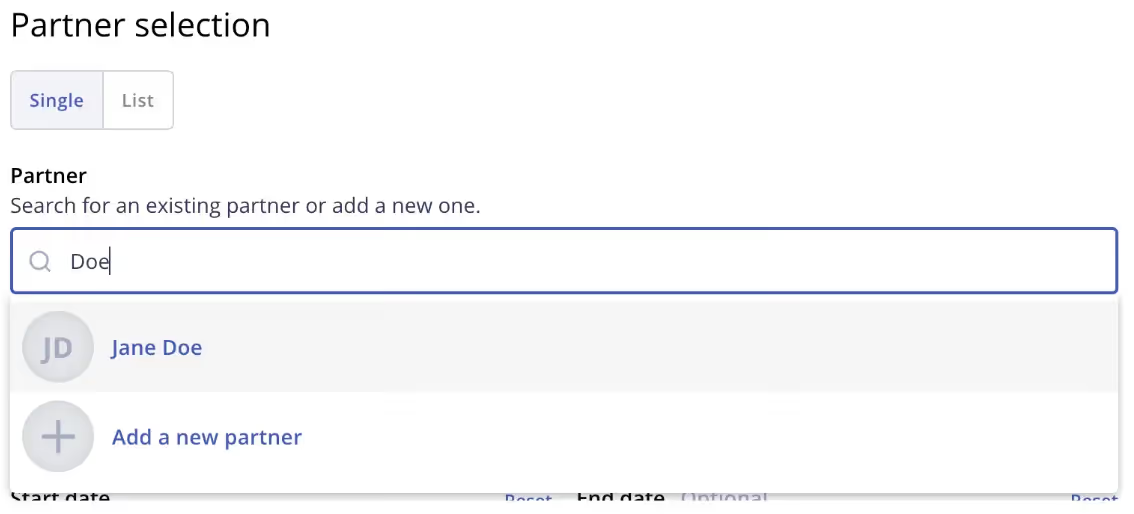
Add a new vendor or list of existing vendor
With the Contract form, you can select an existing freelancer one by one from the dropdown or select a list that has vendors added or add a new one directly from the same form, without losing the context.
Use Case: SOW management and task creation
The contracts module is inherently designed to manage the entire lifecycle of task management and Statement of Work (SOW).
Benefits of using contracts for this use case:
Live Contract View
As discussed earlier, centralizing all information is crucial for the process during contract approval and, even more importantly, once the Contract is live.
With the live Contract view, you’ll find a centralized dashboard that aggregates all contract data, including related tasks, timesheets, and invoices, in one place.
The dashboard will also display other relevant information, such as the remaining budget, expense allowance, and related details, such as the freelancer's tax information.

Create tasks (contract milestones) directly from the Contract
The milestones or deliverables are the main features of the Statement of Work (SOW) contract. In Worksuite, contract milestones are represented by tasks. SOW contracts may have only one milestone, such as writing an article, or multiple tasks, such as freelancers working on-site or working for various agencies' clients. Each milestone (task) should have a separate budget.
Contracts will feature a built-in task creation module, allowing hiring managers to configure everything from a single view.

Manage Contract Budget
Setting a Contract Budget lets you stay in control over the Contract costs. You may choose to prevent over-budgeting so the admin cannot approve invoices exceeding the budget.

Manage Contract Expenses/Reimbursements
You can set the reimbursement allowance, allowing freelancers to submit invoices for expenses related to the contract or tasks.

Invoice Management
The Contracts module also allows Invoice Management settings that dictate the rules for how invoices are raised for the contract.
You can choose between manual and automated cumulative invoicing. When automation is enabled once all tasks are finished one cumulative invoice will be generated. On that invoice each task is listed as a line item.
Other options will also include manual invoicing, along with all the relevant variants.
Use Case: Handling long-term engagement for freelancers
Some of you hire freelancers on long-term contracts that often span months, if not years. This employment practice is legal and common outside the US, UK, or certain EU countries.
Often, these freelancers are regarded as temporary workers. The Fixed Term Contract is specifically designed to handle such use cases.
Top benefits of this use case:
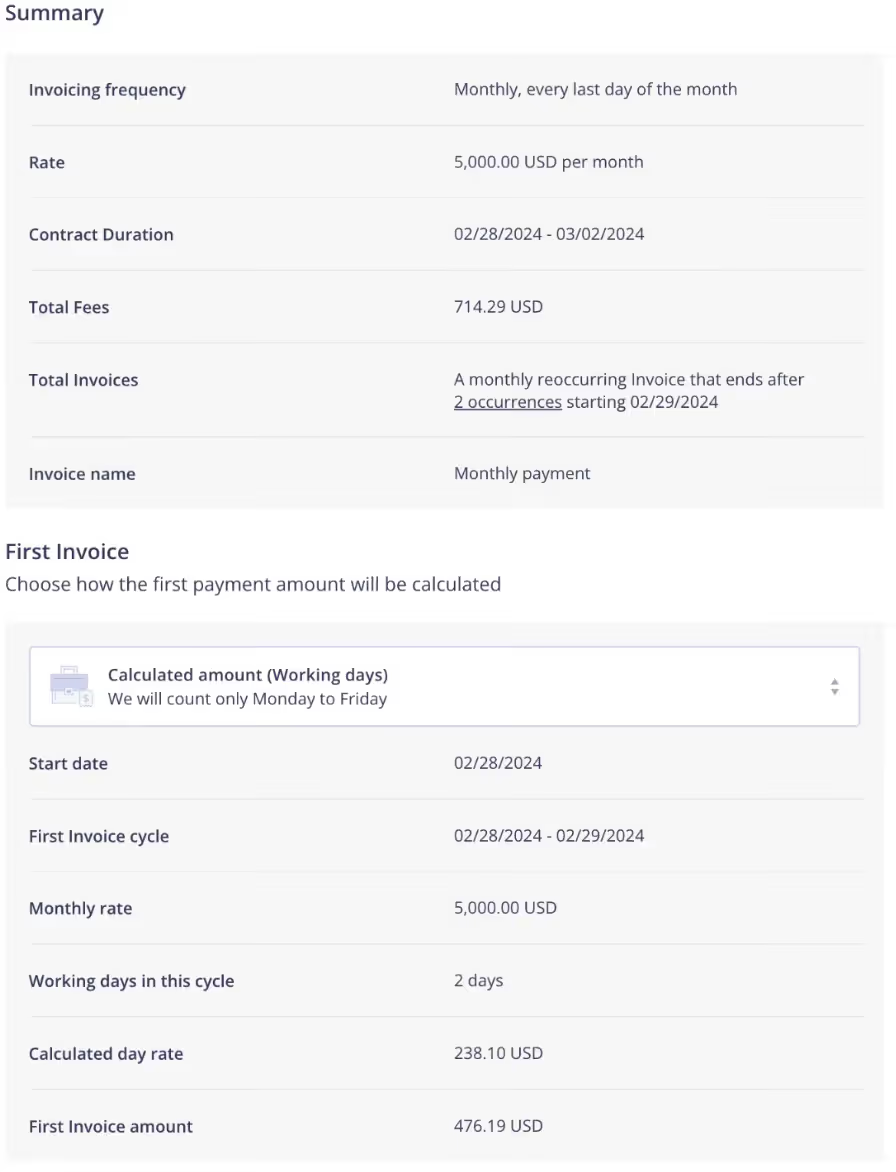
Calculate Payroll
The system automatically calculates the fees, taking into account the start date, invoice cycle, working days in a period, and the duration.
Auto Scheduling of Invoices
Invoices in Fixed-term Contracts can be automatically scheduled, meaning they will also be automatically generated, saving valuable time for admins or vendors.

Auto Approval of Invoices
Since the terms of the contracts are fixed, there should be no reason to review each invoice, especially if it is generated automatically. Therefore, contracts provide a new option for the automatically generated invoices to be automatically approved. Work is getting done, and invoices are getting approved like magic!

Automation for off-boarding
This workflow automation is available across all contract types, but it's particularly relevant for long-term contracts that often involve on-site contractors.

Use Case: Change Requests
A contract is an agreement between a customer and the freelancers. Changes occur all the time, and contracts introduce a formal way for admins and freelancers to request changes and follow an approval workflow to manage, approve, and track that change.

Next lesson
AI-Powered Smart Bulk Importer
View →