
“Teams” & Team Dashboards
Dashboards allow you to tailor your welcome screen for your internal teammates. The simple page will direct them to specific platform actions that are relevant to their role.
Teams allow you to group your internal talent and drive system access to tasks or payments based on their assigned team.
Teams and Dashboards can be built to direct the user to a specific action needed within a module. This decreases click time and increases the speed of getting a task accomplished.
Dashboards can include default options readily available in your platform, or you can create a custom action that links to a specific page that applies to your team! Please read below to learn how easy it is to increase productivity with Worksuite!
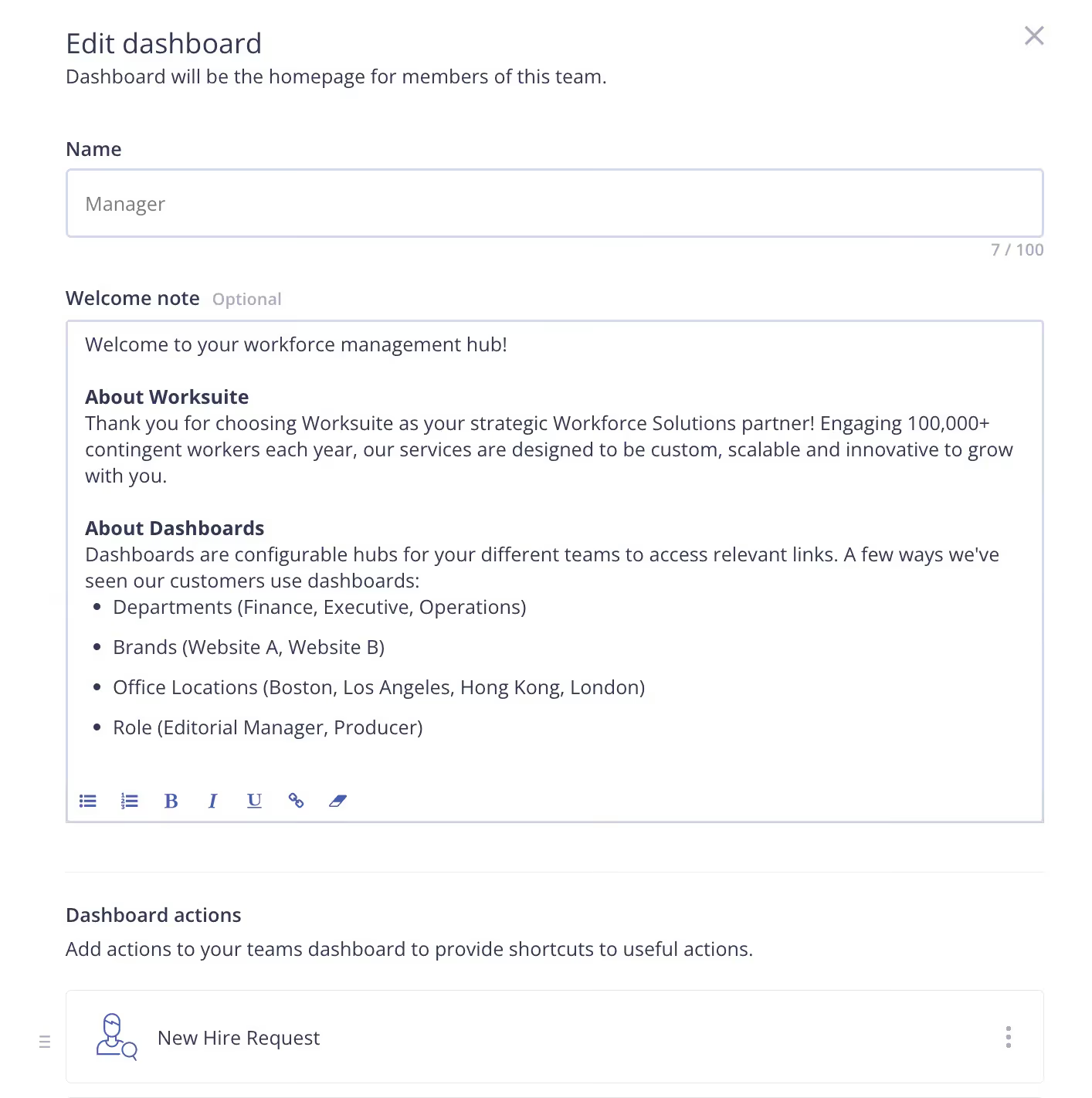
Creating Dashboards
- Navigate to Settings > Dashboards
- Click Add new dashboard
- Complete the fields for naming the dashboard (hint: use something that pertains to the team function), add a welcome note, and select the appropriate actions to add to the dashboard
Creating Teams
- Navigate to Settings > Teams
- Click Add new team
- Complete the fields for naming the team (hint: use something that pertains to the team function)
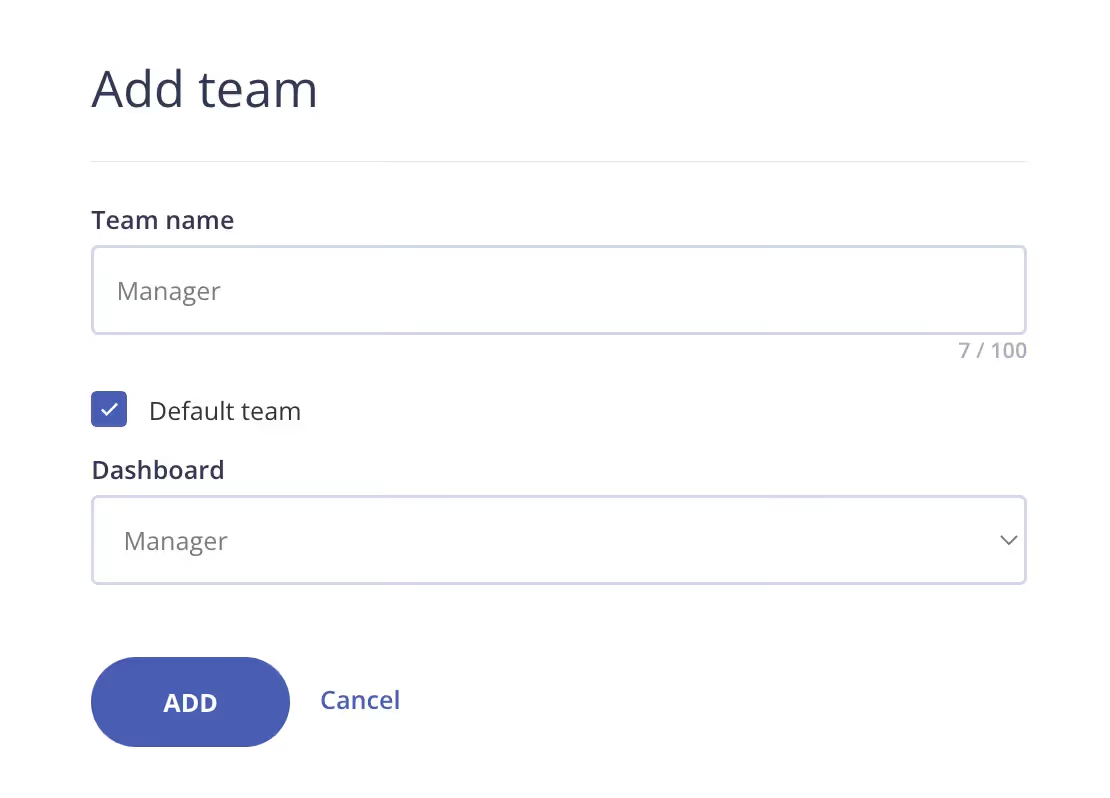
Note: Multiple teams can be created, but each teammate can be assigned to one team.
Exercise
- Create at least 1 Team based on how your organization is structured.
- Create a Team Dashboard for that Team with only the info you’d like them to see.